
How to take product photos at home
You can take product photographs good enough to sell from on a kitchen table, with a phone, a window and a few sheets of white card. What makes the difference is not the equipment. It is controlling the light, keeping the camera still and shooting every product the same way, then knowing which problems are worth fixing on the spot and which are quicker to leave for editing.
The examples below are real client photographs, shown with permission: the before as it was shot, the after as it was delivered. Not all of them were taken at home, but they show the same problems a home set-up has, and how far editing takes them.
What you need
- A phone or a camera. Any recent phone's main camera is enough to start with.
- Something to hold it still: a tripod with a phone clamp, or a stack of books. A steady camera is the cheapest improvement you can make.
- A table near a window that does not get direct sun.
- White card or foam board: one large sheet to curve into a background, and one or two more to bounce light into the shadows.
- A sheet of black card, for shiny products (more on that below).
- Tape or clamps, reusable adhesive putty, a lint roller and a microfibre cloth.
A light tent or a pair of LED panels is a good second purchase, not a first one. Learn what the window does before you spend money on lights.
Find your light
Daylight from a window is the best free light there is, as long as it is indirect. Direct sun makes hard shadows and burnt-out highlights; an overcast day, or a window facing away from the sun, gives soft, even light.
- Put the window to one side of the product, not behind it (the product goes dark) and not behind you (you cast a shadow on it).
- Bounce light back into the shadow side with a sheet of white card standing just out of shot, opposite the window. Move it closer for lighter shadows, further away for more shape.
- If the sun does come in, soften it with something thin and white over the window: a sheer curtain, tracing paper, a white shower curtain.
- Turn the room lights off. Indoor bulbs are warmer than daylight, and a photograph lit by both has two colour casts that no single correction fixes.
- Shoot a batch at one time of day. Daylight changes colour and strength through the day, and products shot in the morning and the afternoon will not match.
If you use lights instead, use two of the same model at the same colour temperature, and do not mix them with the window.
Set up the background
Tape or clamp a sheet of white card (or a roll of white paper) to the wall or a box behind the table, and let it curve down onto the table in a smooth sweep. The curve removes the line where the table meets the wall, so the product sits on nothing in particular. Put the product a little forward of the bend, not on it.
Plain and smooth matters more than white. A grey or coloured cloth is fine if it is pressed flat and does not reflect into the product; a background can be replaced afterwards, but a product that has picked up the colour of its backdrop is harder to correct.


You do not need the background to come out pure white in the camera, and chasing it by brightening the exposure usually burns out the product first. Expose for the product. Getting the background to clean white, or to whatever a marketplace asks for (Amazon wants pure white for the main image), is routine editing.
Prepare the product
Most of what makes a product photograph look amateur is on the product, not in the camera. Before you shoot, take off price stickers and tags, wipe glass and gloss surfaces, run a lint roller over fabric, steam or iron clothing, and stuff bags and shoes with tissue so they keep their shape. Handle shiny things in cotton gloves. All of it can be cleaned up in an edit, but each one is a minute's job before the shoot and more work, image by image, after it.
Camera settings
On a phone:
- Use the main camera. The ultra-wide distorts anything close to it, and digital zoom only enlarges pixels. If there is a 2x or 3x lens, use it and step back.
- Turn on the grid, and keep the phone level, so verticals stay vertical.
- Tap the product to focus, then hold to lock focus and exposure so they do not change between shots. Drag exposure down a touch if the brightest part of the product is pure white.
- No flash, no filters, and no portrait mode: its artificial blur tends to blur the edges of the product along with the background.
- Use the self-timer, so pressing the button does not shake the shot.
On a camera: tripod, lowest ISO, an aperture around f/8 so the whole product is sharp, and a custom white balance set off a white or grey card in your light. Shoot RAW if you can.


Angles, and keeping them the same
Decide on a standard set of shots and use it for every product: typically the front, a three-quarter view, the side, the back, a close-up of a detail (stitching, a label, a clasp) and something that shows scale. Keep the camera at the same height and distance for each, and mark where the product and the tripod stand with tape, so the next product goes in the same place.
- Boxes, bottles and jars: camera at about the middle of the product's height, so the sides do not lean in or out.
- Bags: slightly above, so the opening and the handles read. Fill them first.
- Clothing: laid flat and shot from directly above with the phone level, or on a mannequin or hanger. A mannequin can be removed afterwards for an invisible-mannequin finish.
- Small things: fill the frame, but leave some space round the edges for cropping to different shapes later.

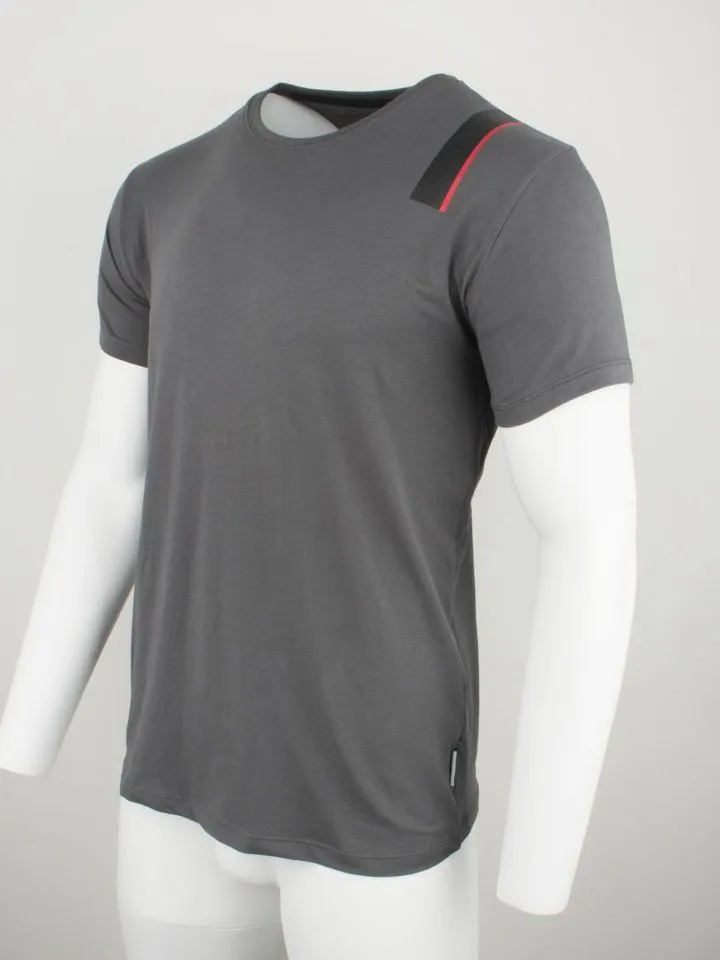
Shiny, glass and reflective products
A shiny surface shows whatever is around it, including the room, the window frame and you. Surround it with white card so it reflects white, and stand a strip of black card at the edge of the frame where you want a dark line to show its shape. Glass is easiest lit from the side or from behind through white card, which brings out its edges. Step back and use a longer lens to keep yourself out of the reflections; whatever is left is a normal edit.


What can be in the frame, and what cannot
A home set-up rarely has a clean edge. The end of the backdrop, a clamp, a cable, a hand holding the card: all of it can be taken out afterwards, as long as it is not touching or covering the product.


What cannot be taken out cleanly is anything in front of the product, or a shadow from it falling across the product. If something has to hold the product up, keep it behind or underneath it.


What to fix in camera, and what to leave for editing
Editing is good at removing and correcting. It cannot invent detail the camera did not record. So spend your time on what only the camera can do.
| Get right in camera | Fine to leave for editing |
|---|---|
| Focus, and the whole product sharp | Background to white, or any colour you need |
| No camera shake | The edge of the backdrop, clamps, cables, hands |
| Highlights with detail in them | A colour cast, and matching colour across a range |
| The angle, and the same angle across a range | Dust, lint and small marks you missed |
| The product's shape (filled, pressed, straight) | Taking out a mannequin, stand or putty |
| Nothing in front of the product | A shadow or a reflection under the product |

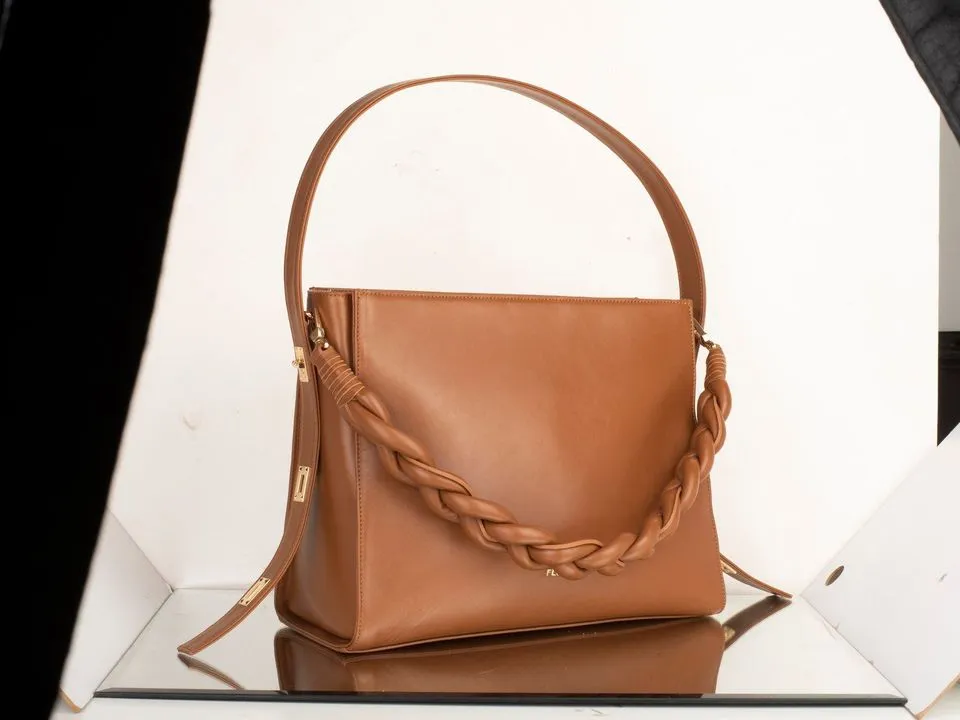
If a photograph is out of focus, shaken or burnt out, shoot it again. A re-shoot takes minutes, and no edit makes it as good.
A quick check before you list
- Zoom in to 100%. Is the product sharp where it matters?
- Is there detail in the brightest part of the product?
- Does the colour on screen match the product in daylight?
- Is anything touching or covering the product that should not be?
- Does it sit at the same angle and size as the rest of the range?
Photographing jewellery? It has problems of its own (dust at close range, polished metal, stones that will not sparkle); see how to photograph jewellery.
Real client images, shown with permission, from the archive of Product Packshot, the Essex product photography studio of Picarm co-owner David Forcina.