
How to take product photos for Etsy
On Etsy the photographs do the selling that a shop assistant would do in person. A buyer scrolling search results sees a thumbnail, a title and a price, and the thumbnail is what decides whether they look further. Etsy publishes its own rules and recommendations for listing images, including one that changes how you plan a shoot: every listing needs at least one photograph that has not been edited at all. This guide starts with what Etsy asks for, then covers how to plan and take a set of photographs that meets it.
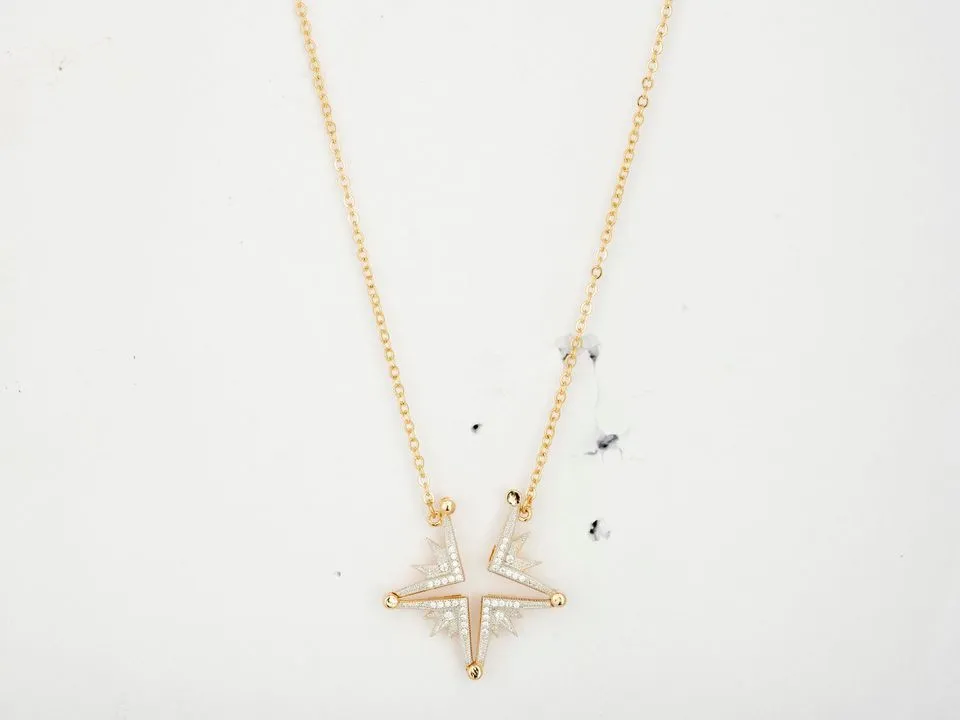
The examples are real client photographs, shown with permission: the before as it was shot, the after as it was delivered.
What Etsy's own rules say
These come from Etsy's help page Requirements and Best Practices for Images in Your Etsy Shop, as it read on 30 October 2026. Etsy changes its guidance from time to time, so check the page before you rely on a number.
- Size. Etsy recommends listing photos at least 2000 pixels in width and height, and says the first photo should be at least 635 pixels in width and height to avoid showing up lower in searches.
- Orientation. The first photo should be horizontal (landscape) or square.
- Thumbnails. Thumbnails are cropped, so Etsy advises leaving enough border round the product for a square crop, keeping the main subject centered, and checking the crop with its thumbnail adjustment tool.
- File types. JPG, GIF, PNG, SVG or HEIC. Animated GIFs and transparent PNGs are not supported, and transparent areas show as black.
- File size. Images larger than 1MB may not finish uploading, especially on a slower connection.
- Accuracy. All images must accurately reflect the item's true appearance, including color, condition, scale and materials.
The one unedited photo
Etsy's page says each listing must include at least one unedited photo of the actual item against a real background, meaning a photograph that has not been edited or changed in any way. It notes that some exceptions may apply depending on the type of item. Outside that one photograph, Etsy says you can still use editing tools, including AI, to adjust lighting or color, crop or resize, or change backgrounds. What you cannot do is use editing to hide flaws, conceal damage, or make an item look different from what the buyer will receive. Etsy also asks sellers who use AI to edit listing photos to say so in the listing description.
In practice this means planning one photograph that needs nothing doing to it. The simplest way is to make it the context shot: the product on a real surface (a wooden table, a linen cloth, a shelf), in good light, framed and focused well enough to go up as it comes out of the camera. It is the shot where a buyer sees the real thing in a real place, which is useful to them anyway. The rest of the set can then be edited: a clean background, color matched across a range, dust removed.


Plan the set before you shoot
A listing with a planned set of photographs answers a buyer's questions in order. For most handmade and vintage products, that set is:
- The first photo. The whole product, clear, well lit, filling the frame with room to crop. This becomes the thumbnail, so it has to read at a small size.
- Other angles. Back, side, top, inside, whatever a buyer would turn it over to see.
- Detail. The texture of the glaze, the stitching, the grain, the setting of a stone. Handmade work sells on its detail.
- Scale. On a hand, beside a familiar object, or in use, so a buyer knows how big it is.
- Context. The product where it would live or be worn. This can be your unedited photo.
- Variations. Each color or size you offer, if they look different.
Make the first photo work as a thumbnail
The first photo is the one buyers see in search, in a grid next to similar products. Make the product large in the frame, on a plain or simple background, with enough space round it for Etsy's square crop. Avoid busy props in this shot; they compete with the product at thumbnail size. Shoot it horizontally or square, as Etsy recommends, and check how it crops before you publish.
Consistency matters as much as any single photograph. A shop whose first photos share a background, a light and an angle looks like one maker's work, and a buyer browsing your shop sees the products rather than the differences between your shoots.

Light and background
Daylight from a window, to one side of the product, with a sheet of white card on the other side to soften the shadows, suits most Etsy products. Turn off room lights, avoid direct sun, and shoot a batch at the same time of day so the color matches. A light tent helps with small, shiny products; there is a guide to using a light box for product photos, and one on lighting for product photos with set-ups for one, two and three lights.
For the background of the main photo, choose something plain that suits the product: white or light gray for most, a natural surface for rustic or handmade goods, a dark background for jewelry and metal. Whatever you choose, keep it the same across the shop.
Showing what makes handmade work worth it
Handmade and vintage products are often bought for exactly the things a mass-produced one lacks: a glaze that varies, hand stitching, the grain of real wood, the patina of age. Light from the side shows texture, so take at least one detail shot with the light coming across the surface. Get close with the main lens rather than digital zoom, and focus on the detail you want the buyer to notice.
Be accurate about variation. If no two pieces are the same, say so and show more than one, or photograph the actual piece the buyer will get. Etsy's rules on accuracy cover color, condition, scale and materials, and a photograph that flatters a piece into something it is not is the start of a return.


What to edit, and what to leave
Following Etsy's page, editing is for presentation, not for changing the product. Reasonable edits outside the one unedited photo include:
- Cleaning or replacing the background.
- Correcting white balance so the color matches the item in daylight.
- Evening brightness and color across a range.
- Removing dust, lint and marks that are not part of the item.
- Cropping and straightening.
Leave alone anything that is part of the item: wear on a vintage piece, natural variation in a handmade one, the real color of the material. If a flaw is part of what the buyer is getting, show it clearly.
If you would rather spend the time making, our cut-outs and retouching handle the edited photos in a set, and leave your unedited one exactly as you took it.
Before you publish a listing
- Is there at least one photograph with no editing at all, of the actual item on a real background?
- Is the first photo horizontal or square, and does it still work cropped to a square thumbnail?
- Is every image the size Etsy recommends, and under the file size that uploads reliably?
- Does every photo show the item's true color, condition, scale and materials?
- Is there a detail shot and a scale shot?
Shooting with a phone? See how to take product photos with your phone.
Real client images, shown with permission, from the archive of Product Packshot, the Essex product photography studio of Picarm co-owner David Forcina.